
What Is Workflow Automation? A Plain-English Guide for UK SMEs
Answer: Workflow automation is the use of software to move a multi-step business process — such as invoicing, onboarding or approvals — from start to finish with little or no human effort. Rules-based triggers ("when X happens, do Y") pass tasks, data and notifications between your apps automatically, so routine work completes itself while your team focuses on higher-value jobs.
What is workflow automation? Key facts at a glance
- Workflow automation connects the apps you already use so repetitive, rules-based tasks run themselves — no coding required for most tools.
- Every automation has three parts: a trigger, one or more rules, and one or more actions.
- It is not the same as an AI workflow: automation follows fixed rules, while AI workflows add judgement steps like drafting, summarising and classifying.
- The average UK small business owner spends over 33 hours a month on internal admin (GOV.UK, 2024) — much of it automatable.
- You can start today with a pen and paper: map one process before you buy any software.
What is workflow automation in simple terms?
A workflow is any repeatable sequence of steps that gets a piece of work done: a customer enquiry becomes a booked call, a completed job becomes a paid invoice, a new starter becomes a set-up employee. Workflow automation hands the predictable steps in that sequence to software.
Zapier, one of the best-known automation platforms, defines it as "the act of streamlining and automating a series of tasks within the apps you use" (Zapier, 2025). The key word is series: automation isn't one clever tool, it's a chain of small handoffs — copy this data, send that email, update this record — that previously needed a human to remember and repeat.
The scale of the opportunity is well documented. McKinsey's analysis of roughly 2,000 work activities found that about 60% of occupations could have 30% or more of their activities automated with existing technology (McKinsey, Four Fundamentals of Workplace Automation). And in Smartsheet's workplace automation research, over 40% of workers said they spend at least a quarter of their working week on manual, repetitive tasks, while nearly 60% estimated automation could save them six or more hours a week (Smartsheet, 2017).
For UK small businesses the pain is even more concrete. As the government put it when launching its Business Growth Service:
"The average small business owner spends over 33 hours every month on internal business admin – valuable time which the government aims to decrease." (GOV.UK, December 2024)
That's roughly a full working week per month spent on tasks that generate no revenue — and it's precisely the kind of work automation absorbs best.
How does workflow automation work?
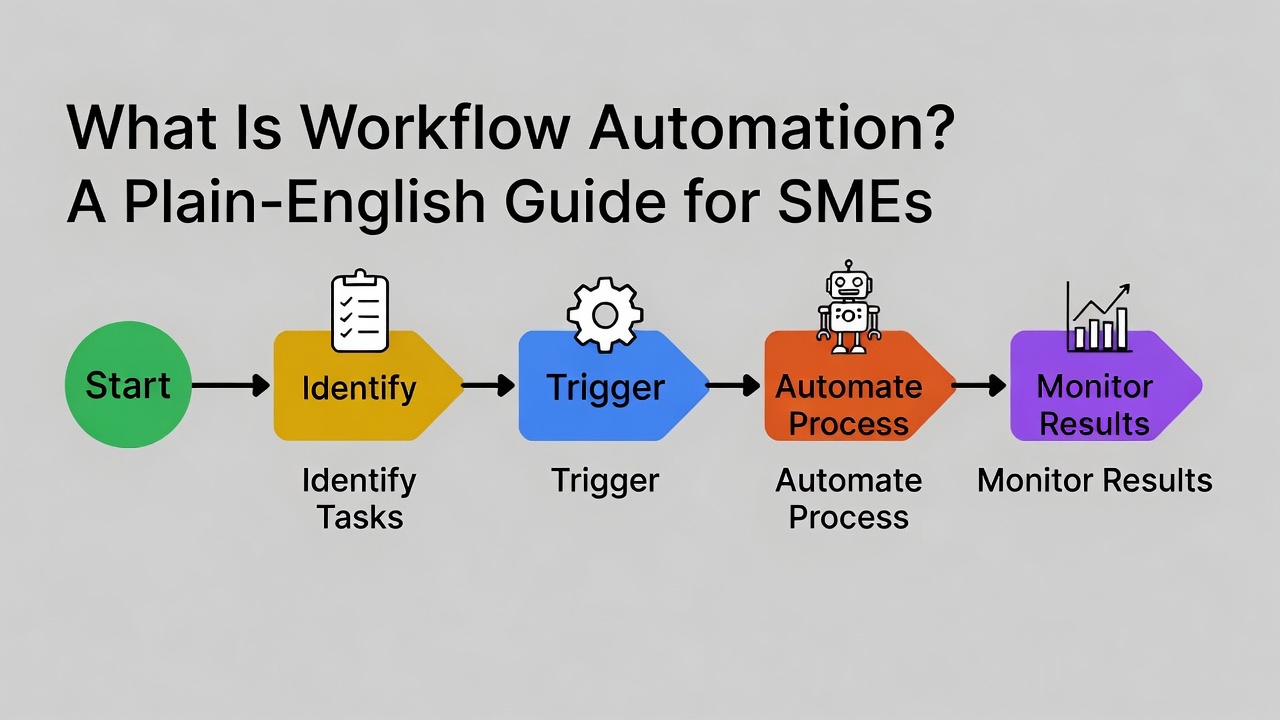
Every automated workflow, whatever the tool, is built from the same three components:
- Trigger — the event that starts the workflow. A form is submitted. An invoice becomes overdue. An email arrives with an attachment.
- Rules (conditions) — the logic that decides what happens next. If the enquiry mentions "quote", route it to sales. If the invoice is over £1,000, require approval first.
- Actions — the tasks the software performs. Create a contact record. Send a templated reply. Add a row to a spreadsheet. Notify the team channel.
In practice, setting one up looks like this:
- Pick one recurring process that annoys you weekly (not your most complex one — your most repetitive one).
- Write down every step as it happens today, including who does it and which app it happens in.
- Mark the rules-based steps — anywhere the decision is "if this, then that" with no judgement needed.
- Connect the trigger to the actions in an automation tool (most modern platforms — Zapier, Make, Power Automate, or the automations built into your CRM and accounting software — do this with no code).
- Run it alongside the manual process for a week, check the outputs, then switch over.
Workflow automation vs AI workflows: what is the difference?
The two terms get used interchangeably, but they solve different problems. Classic workflow automation follows fixed rules; an AI workflow adds steps where the software exercises judgement — reading, summarising, drafting, classifying — before the rules take over again.
| | Workflow automation | AI workflow | |---|---|---| | Logic | Fixed "if this, then that" rules | Rules plus AI judgement steps | | Handles | Structured, predictable tasks | Messy inputs: emails, documents, voice notes | | Example | New form entry → create invoice → send it | Read enquiry email → draft a tailored reply → human approves → send | | Best first step for | High-volume, identical tasks | Tasks that vary each time | | Typical risk | Breaks if inputs change format | Needs a human check on outputs |
Most small businesses should start with plain workflow automation — it's cheaper, more predictable, and forces you to map your processes properly. Once the rules-based layer works, adding AI steps is far easier. We cover the AI side in depth in our guide to AI workflows for UK businesses.
Workflow automation examples for UK small businesses
Here are five workflows we see across UK SMEs, with realistic, conservative estimates of what they save. (Cost figures are illustrative, based on staff time at £15–£20 per hour; your numbers will vary with volume and wages.)
| Workflow | What gets automated | Realistic time saved | Illustrative annual value | |---|---|---|---| | 1. Enquiry follow-up | New website/social enquiry → instant acknowledgement → added to CRM → follow-up reminder if no reply in 48h | 2–3 hrs/week | £1,500–£3,000 | | 2. Invoicing & payment chasing | Job marked complete → invoice generated and sent → polite chaser emails at 7/14/21 days overdue | 2–4 hrs/week | £1,500–£4,000 (plus faster cash flow) | | 3. Appointment booking & reminders | Client self-books from your live calendar → confirmation + SMS/email reminders → no-show follow-up | 1–3 hrs/week, fewer no-shows | £800–£3,000 | | 4. Client/employee onboarding | Signed proposal → welcome pack sent → folders and tasks created → intake form chased automatically | 1–2 hrs per onboarding | £1,000–£2,500 | | 5. Reporting & admin | Sales, jobs or timesheet data collected into one dashboard automatically each week | 1–2 hrs/week | £800–£2,000 |
Two things stand out. First, none of these is exotic — they're the same five processes almost every service business runs. Second, the savings compound: automate all five and you're plausibly recovering 6–10 hours a week, which matches what workers themselves estimate is sitting on the table (Smartsheet, 2017). For a deeper walkthrough of each, see our guide to workflow automation for small businesses.
This matters at a national scale too. "Small businesses are the beating heart of our high streets and communities, accounting for 99.8% of all businesses and 16.6 million jobs," said Business and Trade Secretary Jonathan Reynolds (IBTimes UK, 2025). Hours recovered from admin in those businesses go straight back into serving customers.
How to start workflow automation: a step-by-step guide for UK SMEs
You don't need to purchase anything to begin — in fact, buying a tool first is the most common mistake. Automating a messy process just produces mess, faster. Start here:
- Keep a one-week "interruption log." Every time you do a repetitive task, jot it down with a time estimate. At the end of the week, you'll have your automation shortlist ranked by hours.
- Map your top process on paper. One box per step, one arrow per handoff. Note the app each step lives in. If you can't draw it, you can't automate it.
- Standardise before you automate. Turn your best reply emails into saved templates. Agree one place where enquiries land. This alone often halves the time a process takes — for free.
- Use what you already own. Your email client has rules and templates; your accounting software (Xero, QuickBooks) has built-in invoice reminders; your calendar has scheduling links. Most SMEs are already paying for automation features they've never switched on.
- Only then pick a connecting tool — and only if a gap remains between two apps that won't talk to each other.
If you'd rather have the mapping done for you, that's exactly what our AI workflow design service covers: we map your highest-value processes and show you which to automate first, before you spend a penny on software. We work with businesses across Milton Keynes, Northampton, Bedford and Luton — and remotely across the UK.
Workflow automation also sits at the heart of EU AI Act compliance for many UK businesses: once you have mapped and automated your AI-touching processes, classifying them against the Act's risk tiers becomes straightforward. And if your team needs to understand what they're automating, our AI literacy training covers the foundations.
Frequently asked questions
What is workflow automation in simple terms?
It's software doing your repetitive, rules-based tasks for you. When a defined event happens (a form is filled in, an invoice goes overdue), the software automatically performs the next steps — sending emails, updating records, creating tasks — without anyone having to remember to do them.
What is an example of workflow automation?
A client books a call on your website. Automatically: they get a confirmation email, the meeting lands in your calendar, their details are added to your CRM, and a reminder goes out the day before. Five manual steps become zero.
What is the difference between workflow automation and AI?
Workflow automation follows fixed rules you define in advance. AI adds judgement — reading, drafting, summarising, classifying messy inputs like emails. Most businesses should automate the rules-based layer first, then add AI steps. See our AI workflows guide for the full comparison.
How much does workflow automation cost?
Often nothing to start: email rules, calendar booking links and invoice reminders are built into tools most businesses already pay for. Dedicated platforms like Zapier or Make have free tiers, with paid plans typically from around £15–£50 per month.
Can workflow automation work for a very small business or sole trader?
Yes — arguably better than for large firms, because you can change your processes overnight. Even automating just enquiry replies and invoice chasing typically recovers a few hours a week, which matters most when you're the only person doing everything.
Do I need to know how to code?
No. Modern automation tools are no-code: you choose triggers and actions from menus. If a workflow genuinely needs custom code, that's usually a sign to simplify the process rather than hire a developer.
How long does it take to set up?
A single simple automation (e.g. enquiry acknowledgement) takes under an hour. A full pass over your five core processes is typically a few days of focused work spread over 2–4 weeks, including a week of running each automation alongside the manual process to check it.
The bottom line
Workflow automation is not a technology project — it's a time-recovery project. The average UK small business owner loses over 33 hours a month to internal admin (GOV.UK, 2024), and most of those hours sit in five predictable processes: enquiries, invoicing, booking, onboarding and reporting. Map them first, switch on the automation features you already own, and only buy tools to fill genuine gaps.
Want the mapping done for you? Get your Free AI Workflow Blueprint — we'll identify your highest-value workflows, show which to automate first, and estimate the hours you'll get back, before you spend anything on software.
Written by the team at AI Advisers, an AI implementation consultancy helping UK small and medium-sized businesses automate their workflows and adopt AI safely and practically.